
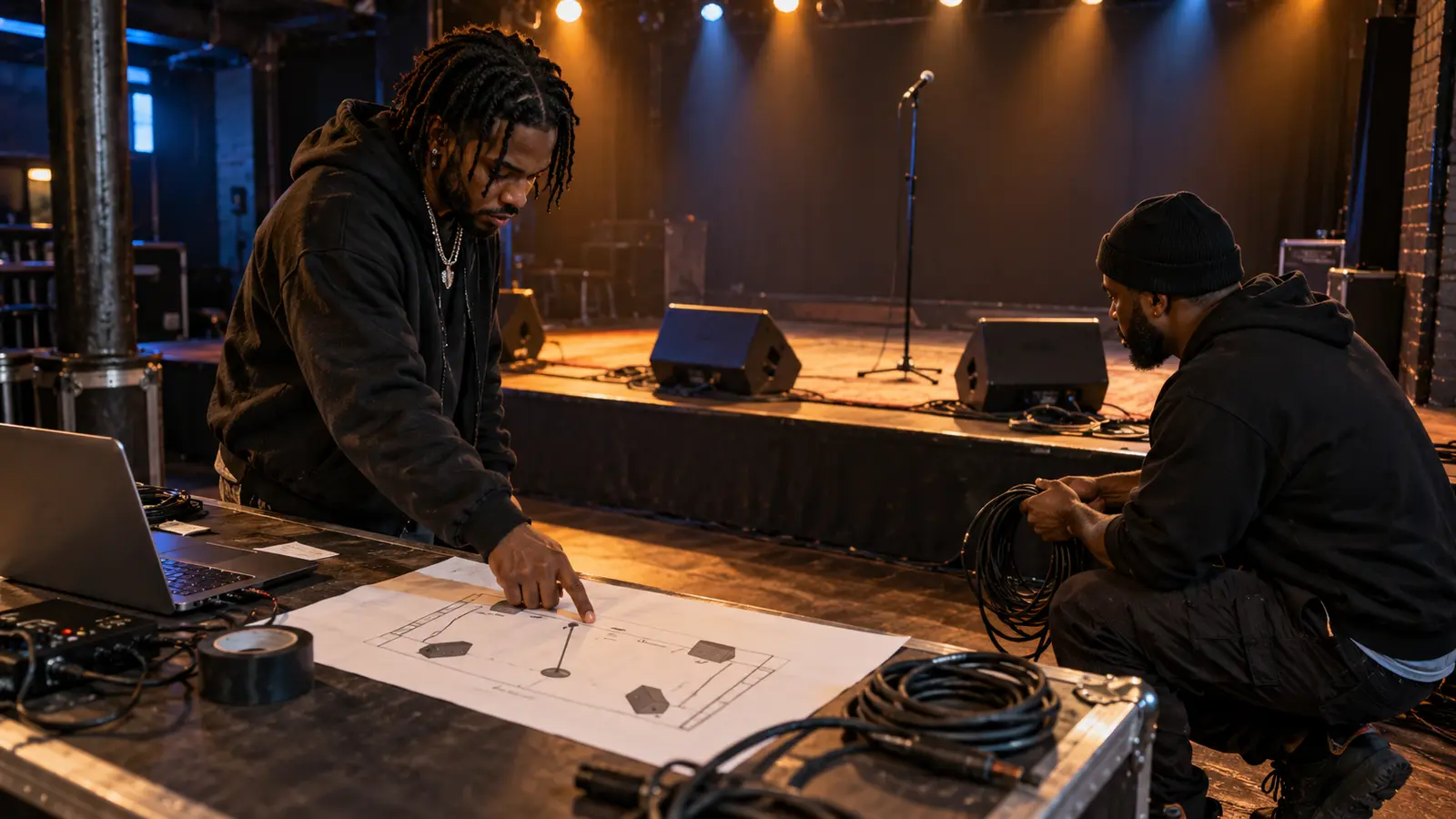
A useful tech advance is not a fantasy equipment list. It is a short, current description of the show you are actually bringing, sent early enough for the venue and artist to resolve problems before load-in.
Keep hospitality requests separate. This document is for sound, stage, playback, power, timing, and the people who must coordinate them. If the event supplies its own form, answer that form first and attach only the detail it cannot hold.
Start with the confirmed event version
Put the artist name, event, date, venue, set length, and document version at the top. Name one artist-side technical contact and one show-day contact, with the contact method the venue approved. A filename such as artist-venue-2026-10-23-v2 is more reliable than final-rider-new.
List exactly who will be on stage: lead vocalist, guest vocalist, DJ, hype performer, instrumentalist, or another role. If a guest is not confirmed, mark that position pending instead of designing the whole stage around an assumption.
Describe every sound source and connection
Build a channel list in signal order. For each source, state who or what creates it, the connector you provide, and what you need from the venue. Include vocal microphones and stands, DJ or playback outputs, live instruments, direct boxes, and any device that needs phantom power.
Do not write only “laptop.” Say whether the show carries an interface, uses balanced XLR outputs, needs a stereo direct box, or hands off another confirmed connection. Note whether playback is mono or stereo. Avoid requesting stereo if the prepared show file and stage output are effectively mono.
The Musicians’ Union’s current guidance recommends a channel listing and stage plot and calls out details such as DI, XLR, phantom power, microphone stands, monitor feeds, and power. Those specifics let an engineer prepare a workable patch instead of guessing.
Draw positions, not artwork
Use a simple top-down rectangle for the stage. Mark audience direction, each performer, microphone, stand, playback position, monitor, power need, and any equipment the artist brings. A clear black-and-white sketch is better than a decorative diagram that hides cable paths.
Number monitors and connect each number to a person. Then state the starting request for each mix: for example, lead vocal strong, playback moderate, guest vocal light. This is a soundcheck starting point, not a demand that prevents the engineer from adjusting safely in the room.
Advance playback and backups honestly
Name the device, software-independent output method, cable ownership, and who presses play. Carry a tested backup that the show can actually use. The performance-track version-pack guide helps organize full, clean, instrumental, and emergency versions without making the operator hunt through a downloads folder.
Keep all show files local and disable avoidable alerts, updates, and sleep settings before soundcheck. A streaming link can be useful for reference, but it should not be the only source for a timed live set unless the production team explicitly accepts that risk.
Attach a short show timeline
Include arrival, load-in, line check or soundcheck, doors, and performance time using the venue’s time zone. Add changeover limits and any cue the engineer must know, such as a walk-on file, planned stop, guest entrance, or track that begins without count-in.
Build the actual running order with the timed rap-set checklist. The advance should summarize technical cues; it should not become a second, conflicting set list.
Send questions, then issue one approved revision
Ask the venue to confirm what it supplies, what it cannot supply, the stage dimensions, and the named production contact. Resolve differences in writing. If the venue substitutes equipment, update the artist team rather than leaving two versions in separate message threads.
After confirmation, send one dated PDF or view-only file to the people who need it. On arrival, walk the engineer through material changes and listen during soundcheck. Do not assume front of house hears the same monitor balance the performer hears.
Discuss general live-show workflow in the reviewed artist forum without posting private contact information. Continue through The Signal, or hear the station at IHHR’s live player.
Reference: Musicians’ Union, Tech Specs and Stage Plots, updated April 15, 2026; checked October 23, 2026.
Press Play above to hear IHHR or visit the official Live365 station page.